Application
Web, workers, and scheduled jobs
Run Gunicorn or Uvicorn, Celery workers, beat, release commands, and cron jobs.
Managed Django deployment for the AI era
Run your Django app on an affordable cloud server you choose. Appliku prepares the server, deploys your code, and manages the services around it. You can use the dashboard—or tell your AI coding agent to do the work through Appliku.
Start free. No credit card. Connect Git and your cloud account once.
YOU
Using Appliku CLI deploy my application on a new Hetzner server in Helsinki, watch logs and fix if deployment fails.
✓ Read the Appliku skill
✓ Created the server and application
✓ Added PostgreSQL and Redis
! Release failed: ALLOWED_HOSTS
✓ Updated configuration and redeployed
● DEPLOYMENT HEALTHY
https://mydjangoapp.applikuapp.com
From repository to production
Use the dashboard, or let your AI coding agent operate Appliku through its CLI and API.
Create an Appliku account. Then connect GitHub or GitLab and your cloud provider.
Use DigitalOcean, AWS, Hetzner, or any Ubuntu or Debian server with SSH access.
Appliku builds the app, runs migrations, starts each process, and configures HTTPS.
Read logs, inspect releases, restart services, and fix deployment errors without SSH work.
Built for Django
A Django deployment is more than one web process. Appliku gives the whole application a home and keeps its parts together.
Application
Run Gunicorn or Uvicorn, Celery workers, beat, release commands, and cron jobs.
Data
Create databases beside the app. Add caching and task queues. Manage credentials and make scheduled backups.
Delivery
Deploy from GitHub, GitLab, or a custom Git server. Each push can start a repeatable release.
Operations
Handle the routine production work from one dashboard or through the CLI.
Ready for AI-assisted operations
The Appliku skill teaches an AI coding agent how the platform works. The CLI and API let it act. Logs and deployment status give it the feedback needed to diagnose a broken release.
Set up an AI coding agentTry a plain-language task
“Check why the latest deployment failed. Read the application and deployment logs, fix the problem, deploy again, and confirm that the site responds.”
Gives the agent platform instructions and reliable workflows for apps, servers, databases, domains, and deployments.
Let the agent create resources, start deployments, inspect status, read logs, and manage configuration.
Use read-only, full-access, or custom API tokens. Give an agent only the access it needs. Appliku enforces the limits on the server.
Your cloud. Managed by Appliku.
You rent a virtual server directly from a cloud provider. Appliku installs and manages the deployment platform on it. Your apps and data stay in the cloud account you control.
This gives you predictable infrastructure costs and more freedom than renting each application component from a closed platform.
DigitalOcean
Provision through Appliku
Hetzner
Provision through Appliku
AWS
Launch EC2 through Appliku
Any provider
Add an Ubuntu or Debian server by SSH
Everything is set up and managed for you, but you can still customize if you really need it.
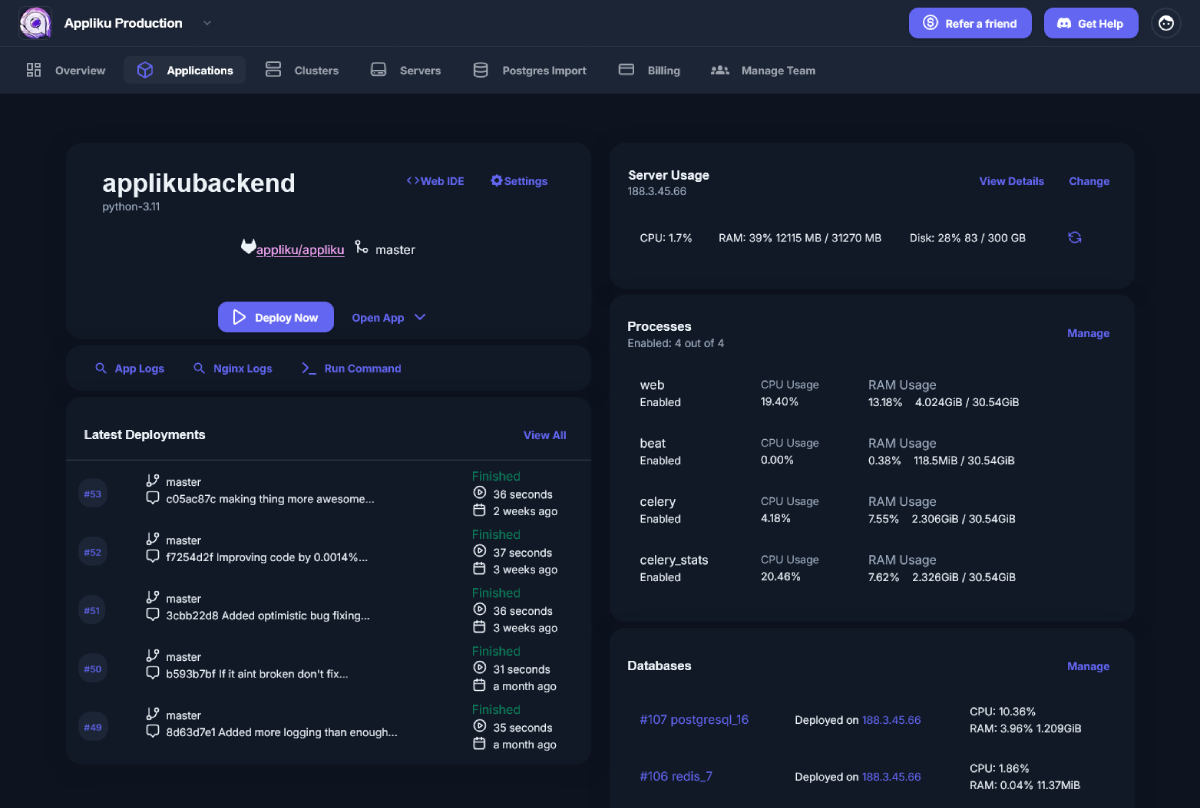
Bird's eye view on your app: deployments, resource usage, server health and databases
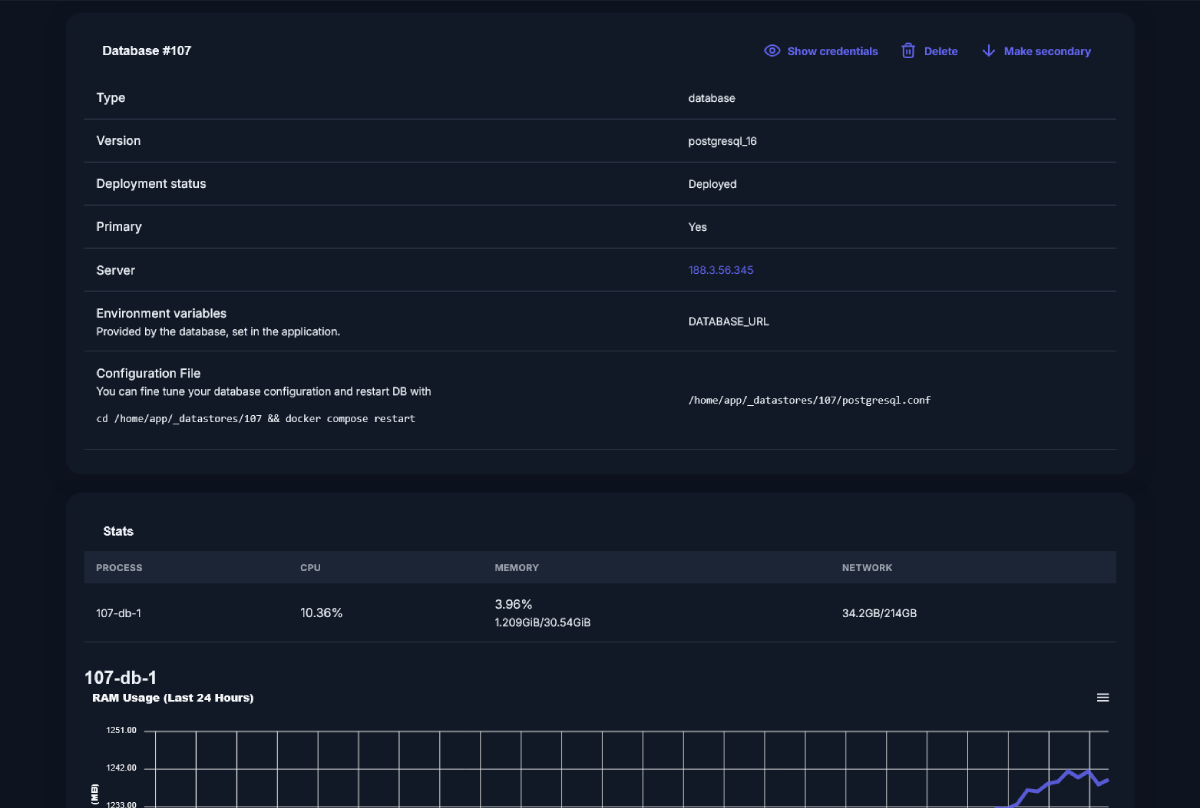
Wide variety of databases choices: Postgres, PostGIS, PGVector, Mysql, Redis, RabbitMQ, ElasticSearch
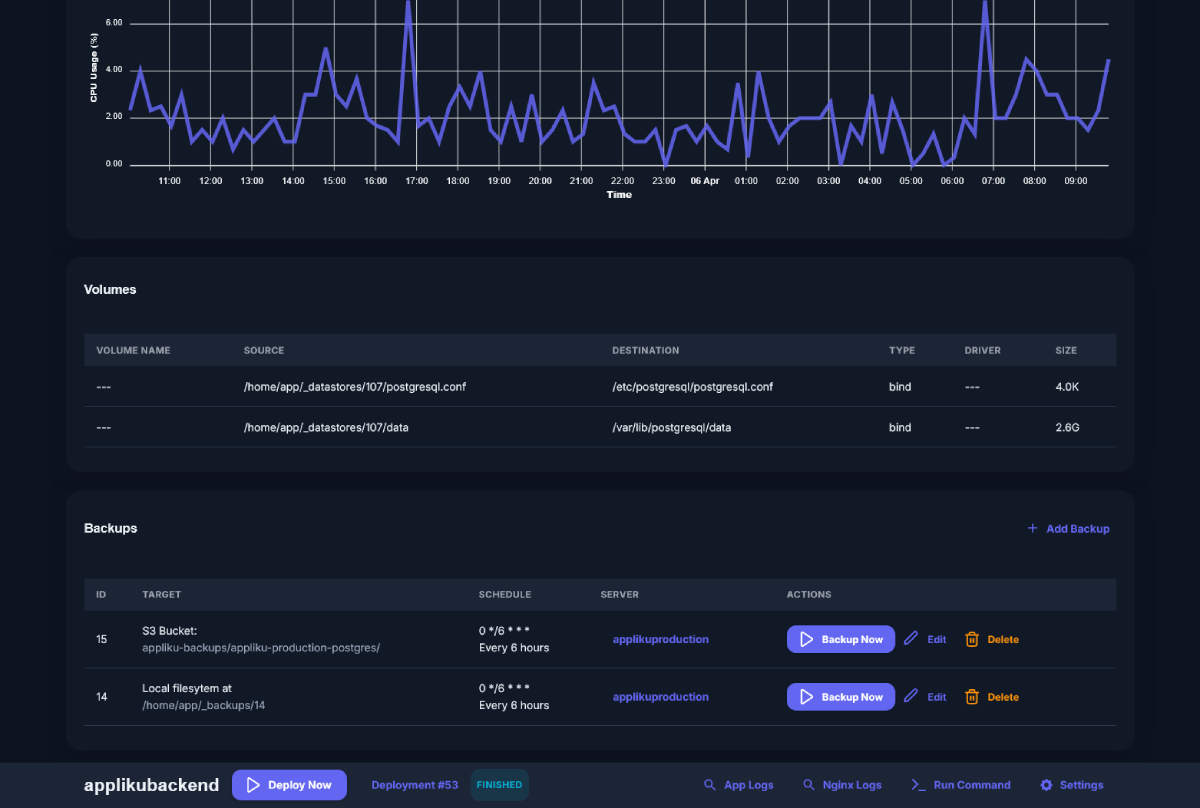
Backups for your Postgres databases. Store on the same or another server, or on any S3-compatible server.
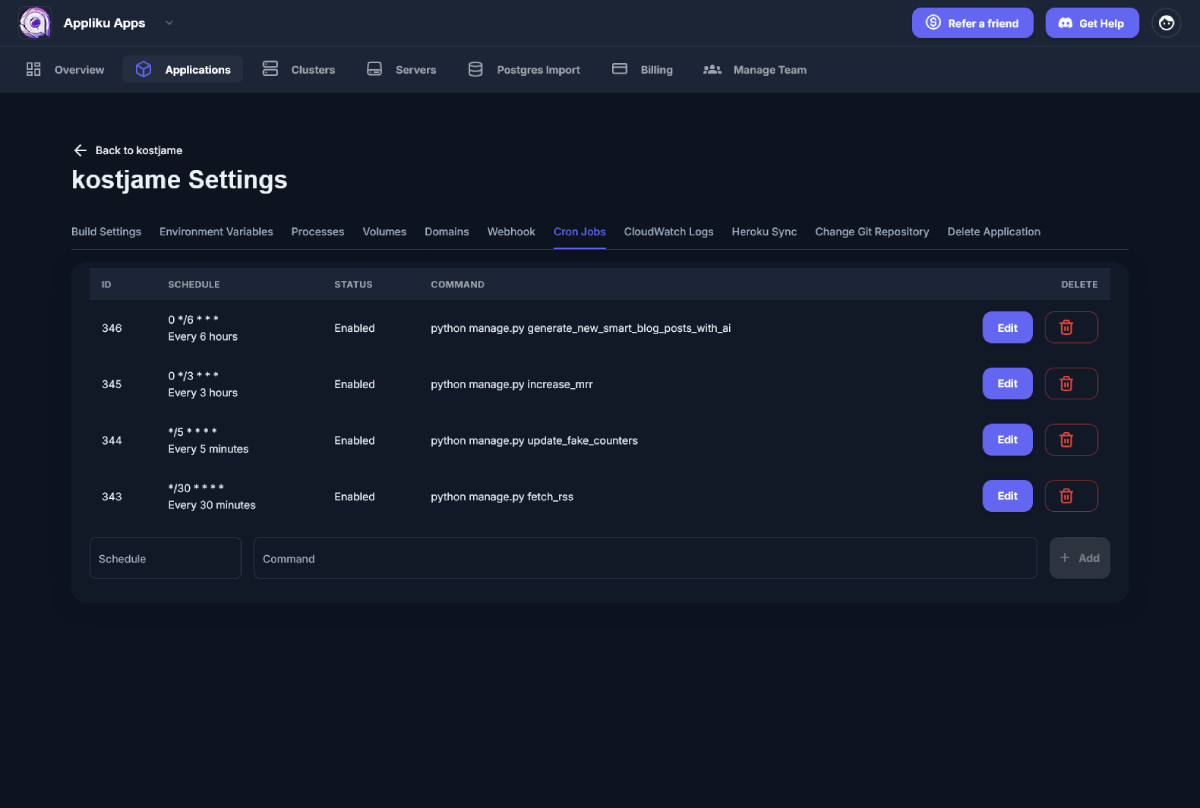
Create recurring jobs, with cron expressions schedule and logging.
5 out of 5 stars
“It’s easy to use, full of features, and has never gone down. Appliku is a service that makes my life 10x easier. It simplifies a complicated part of developing apps: deployment.”
On any paid plan, request a free migration and we get your app running on a server you own, live on a screen-share, usually in one session. Coming from Heroku is what we do best.
Coming from Heroku? See how we move your app off Heroku.
Truly Affordable Deployment Pricing
Fixed monthly fee, no hidden costs.
Start free, no credit card. Deploy a real app to your own server before you pay, then upgrade once it is working for you.
For small weekend projects and trying out the service.
$0 /month
$0 /year
Start freeGreat for personal use and next side projects.
$10 /month
$100 /year
Start freeGreat for most of the production grade services.
$18 /month
$180 /year
Start freeEverything in Hobby, plus:
Ideal if you have many projects and scaling.
$39 /month
$390 /year
Start freeEverything in Growth, plus:
For more demanding projects and need for timely support.
$159 /month
$1590 /year
Start freeEverything in Business, plus:
Every paid plan includes a free done-for-you migration. We move your existing app onto a server you own, together.
Our order process is conducted by our online reseller Paddle.com.
Paddle.com is the Merchant of Record for all our orders. Paddle provides all customer service inquiries and handles returns.
Prices don't include taxes.
A refund is issued if there is a technical problem with the product and we can’t help you to resolve the problem.
Appliku is free to try, so please make sure to check it out before purchasing.
Django first, not Django only
Appliku is built around Django and Python deployment. It also runs FastAPI, Flask, Rails, Next.js, Node.js, and any application that provides a Dockerfile.
If you can’t find what you’re looking for, email our support team.
Unlike hosted platforms, Appliku runs your app on a server you own, so you control the cost and avoid lock-in. Unlike self-hosted tools, we manage the server for you, so patching and backups never become your job.
See the full, honest breakdown on our comparison pages.
Appliku fully takes care of setting up your server, installing all required packages and configuring web server with SSL certificates via Let's Encrypt.
All the configuration is done via our dashboard. For most of the apps standard build images are enough to run. All you need to do is specify processes commands, set environment variables and build command.
You can use a custom Dockerfile is your app requires specific libraries and/or build process.
With help of special command `release` in application processes you can specify the command or a script that will be executed after deployment of a new version of your app.
Yes, you can run as many apps as you want on a single server as long as the server has enough resources.
Keep in mind, that build process also requires resources to run, so make sure your server has some spare resources, especially RAM.
Yes, you can create as many apps from the same repo as you want and select the git branch for each of them. They can be on the same or different servers.
For single server deployments:
For cluster deployments:
Appliku allows you to create Postgres, Postgis, Redis, Mysql, RabbitMQ.
Databases are running in containers on your severs. You can create as many databases as you need as long as server has enough resources.
You can specify environment variables in the application settings. They will be available during the build time as well.
Yes. Every paid plan includes a free done-for-you migration. We get your existing app running on a server you own, live on a screen-share, usually in one session. Coming from Heroku is what we do best.
All communication with your server(s) is done via SSH. We don't install any additional apps to your server for the purpose of server management.
Yes, you can connect to the server via ssh by using the app or root user(or other sudo user used during setup, e.g. "ubuntu" for EC2/Lightsail instances).
You must add your public key to your user's profile in Appliku. Keys of all team members will be added to ~/.ssh/authorised_hosts on servers within your team.